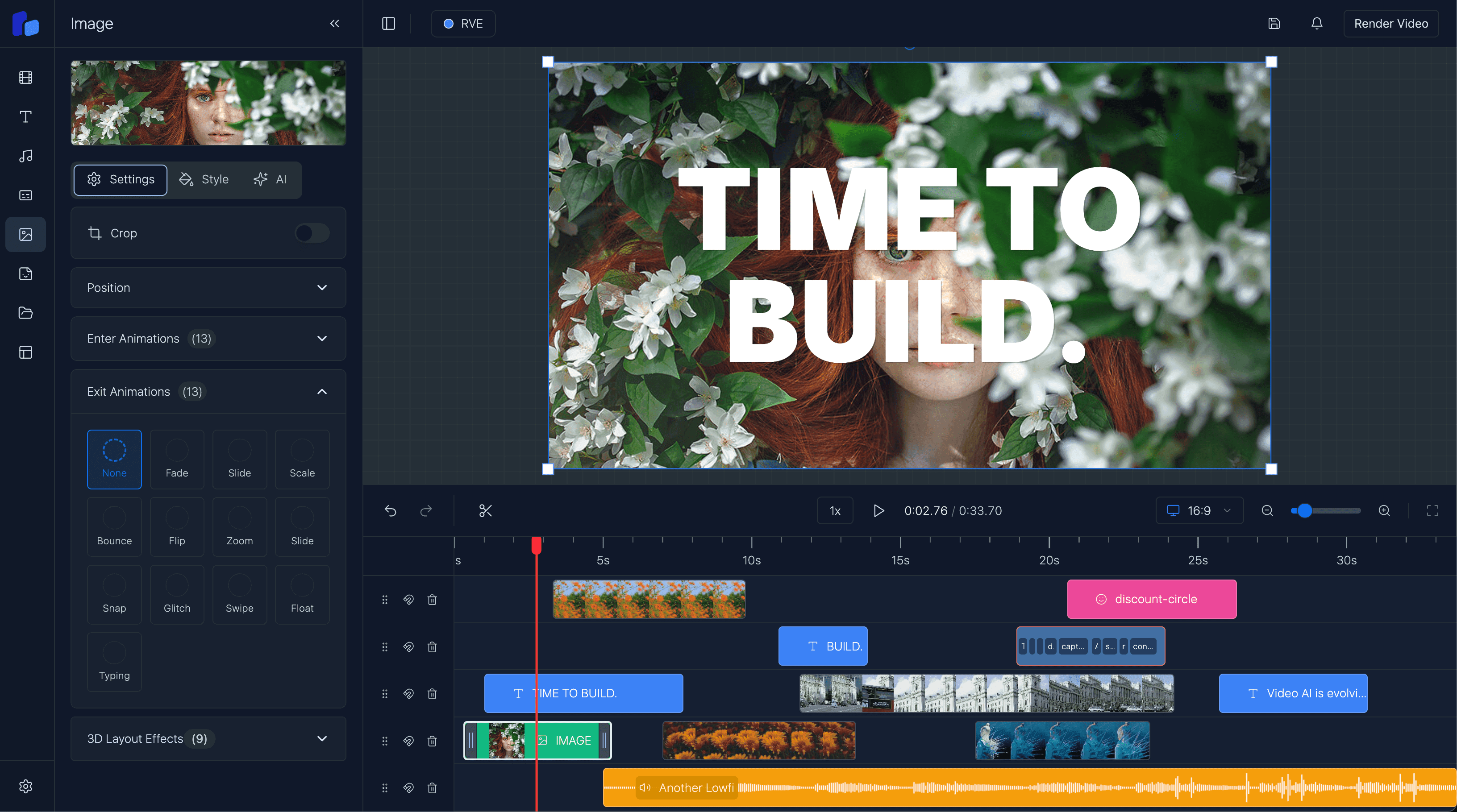
Client-Side Rendering vs Server-Side Rendering, Explained Simply
I explain what happens when you render a video, why server-side rendering costs money, what client-side rendering changes, and where browser exports have limits.
Sam
Creator of RVE
You edit a video in the browser. You click Render. Why does anything need a server?
That's the part that confuses people.
The editor can preview your video because the browser is good at showing web pages. Exporting an MP4 is different: every frame has to be rendered, audio has to be mixed, and the result has to be encoded into a real video file.
There are two ways to do that:
Key takeaways
- Server-side rendering sends the job to a backend or worker. The finished video comes back as a download.
- Client-side rendering tries to render and encode the video directly in the user's browser.
- Client-side rendering can remove server cost for simple exports, but browser APIs and device performance still create compatibility limits.
Server-Side Rendering
This is the traditional video rendering flow.
When you click render, the browser sends the job to another machine. That machine loads the composition, renders the frames, encodes the video, stores the file, and sends back a download URL.
I still see this as the reliable path for production workloads. You can scale rendering across cloud workers instead of depending on one user's laptop, and you control the environment each job runs in.
The tradeoff is obvious: servers cost money and need setup.
Client-Side Rendering
Client-side rendering moves that work into the browser.
There's no server job, render queue, or backend compute bill for that export.
The browser loads the composition, steps through the frames, draws them locally, captures supported media, and encodes the result using browser media APIs.
That's why I find it exciting for RVE. A browser-based editor can offer a real local export path for the right kinds of videos.
Why It Has Limits
Browsers don't expose a perfect "capture this whole webpage as a video" API.
So a client-side renderer has to reconstruct the output. It can inspect the DOM, measure layout, read supported styles, draw to a canvas, and then encode the video.
That's clever, but it means the export can only use browser APIs, elements, media formats, and CSS properties that the rendering path supports.
Here's how I think about the practical limits.
Client-side render compatibility
A simplified view of the browser rendering limits that matter most when building an editor.
| Feature | Client-side render | Server-side render | Why it matters |
|---|---|---|---|
| Layout and sizing | Mostly supported | More forgiving | Common position, size, flex layout, transform, opacity, border, and radius styles can be measured and drawn from the DOM. |
| Backgrounds | Partial | More complete | Background colors and linear gradients are supported. Many other background-image and background-* combinations are not. |
| Text | Partial | More complete | Common font, size, weight, color, line-height, spacing, and shadow styles are supported. Some text features like writing-mode and text-decoration are not. |
| Layering | Limited | More complete | z-index is not supported. Draw order comes from element order, so put later elements on top. |
| Filters and effects | Partial | More complete | Many filter functions work in Chrome and Firefox, but filters are not supported in Safari/WebKit. backdrop-filter and mix-blend-mode are not supported. |
| Media | Format dependent | Broader support | Images, video, and audio depend on the formats, browser APIs, and media access rules available on the user's device. |
| Browser support | Modern browsers | Server controlled | Client-side rendering depends on APIs like WebCodecs, so browser support is narrower than normal video playback. |
| Scale | One device | Scales better | Client-side rendering runs on the user's device. Server-side rendering can spread jobs across cloud workers. |
Option A
Server-side rendering
- The job is sent to a server, worker, or cloud service.
- More mature and better for large-scale production rendering.
- Costs money and requires backend infrastructure.
Option B
Client-side rendering
- The job runs inside the user's browser.
- Can be faster and cheaper for simple local exports.
- Constrained by browser APIs, CSS support, and device performance.
Which One Should You Use?
I'd use server-side rendering when reliability, scale, and production consistency matter most.
I'd consider client-side rendering when I want a lightweight browser export, lower infrastructure cost, and the composition fits inside the current limitations.
Server-side rendering is still the stronger default for high-volume production rendering. Client-side rendering is very promising for demos, prototypes, simple exports, and product flows where avoiding backend rendering is a big win.
What This Means In RVE
React Video Editor supports client-side rendering, but I don't think one rendering strategy fits every product.
You can:
- use RVE's client-side rendering path
- pass your own custom client-side render implementation
- use server-side rendering instead
- wire up your own render provider behind the scenes
I've kept that choice intentional. Some teams want the demo-style "click render and download locally" experience. Others want managed server rendering or already have their own rendering infrastructure.
Why The Demo Shows A Warning
If you click render on the RVE demo site, the warning is there because the local browser export path is still constrained by browser APIs and the user's device.
The warning isn't saying the feature is bad. It's saying you shouldn't expect local browser export to behave exactly like a production server render for every composition.
That expectation matters if your video uses unsupported CSS, media that the browser cannot process, browser-specific behavior, or a device that struggles with encoding.
Why client-side rendering is exciting
- You can render without paying for a server render on every export.
- The workflow can feel faster and more direct for simple videos.
- It makes browser-native video editing feel much more self-contained.
Why the warning exists
- Browser rendering is still a newer path with more constraints.
- Some CSS, layering, media, and component behavior is limited.
- Browser support and device performance can affect the result.
The Simple Summary
Server-side rendering is like sending the video to a professional kitchen. It costs money, but the kitchen is built for the job.
Client-side rendering is like cooking at home. It can be faster and cheaper, but now your browser, device, and ingredients matter.
For RVE, the important point is this:
RVE gives you the editor and rendering hooks. You decide whether your product should render locally in the browser, use a custom client-side render flow, or send jobs to a server-side render pipeline.
FAQ
What is server-side rendering?
It means the render happens on a server, worker, or cloud service. Your browser sends the job away and downloads the finished video later.
What is client-side rendering?
It means the render happens directly inside the user's browser, using the user's device.
Is client-side rendering free?
It avoids server render costs, but it is not "free" in the physical sense. The user's device still does the work.
Why does the RVE demo warn me?
Because client-side rendering has browser and device limitations. The warning is there so you understand that local browser export is not the same as a full production server render.
Should I use client-side rendering in production?
You can evaluate it carefully for controlled use cases. For large-scale, high-reliability rendering, server-side rendering is still usually the safer production path.
Next step
Client-side rendering is exciting, but it is still a tradeoff
If you are building with RVE, the right question is not just whether browser rendering works. It is whether your product needs local exports, server-side reliability, or a custom render path.
If you would rather use a managed server rendering path, you can also take a look at RVE Cloud Rendering.