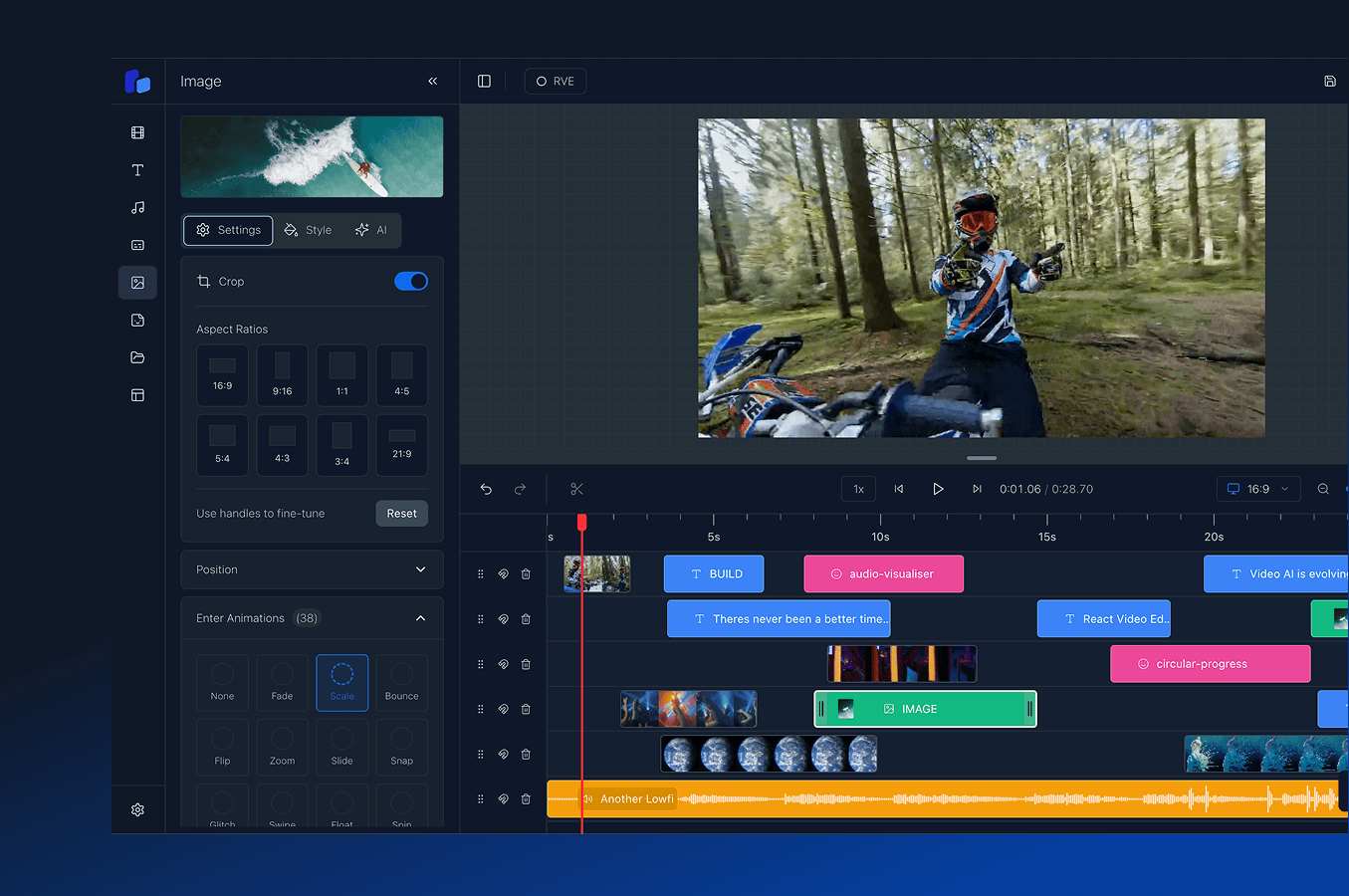
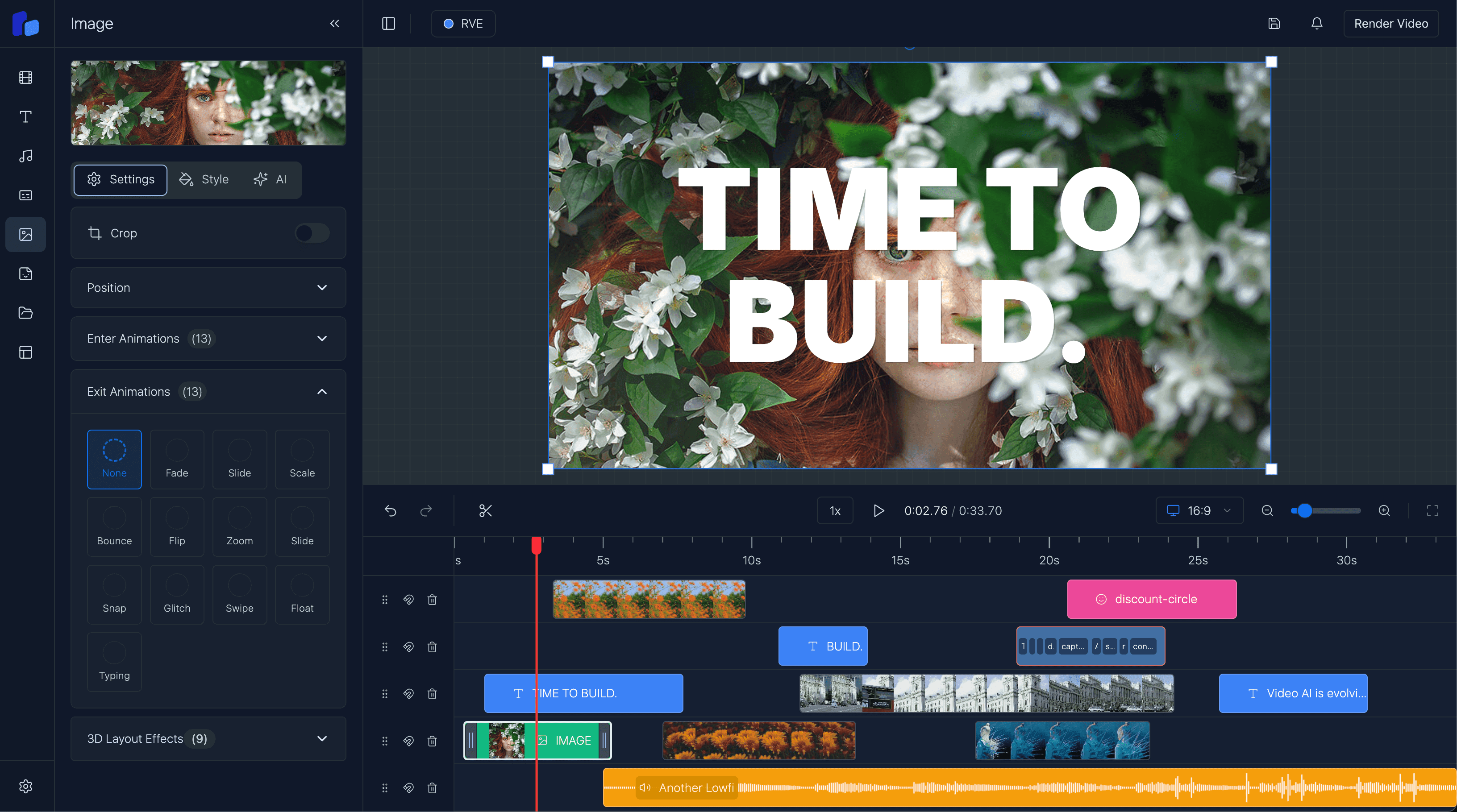
Bring your videos to life with powerful animations and transitions. Slide in, slide out, fade, zoom, and create stunning effects for any element in your videos - all powered by React for complete control and customization.
Add professional animations to your videos today
React-Powered Animations & Effects
Create stunning visual experiences with React-powered animations and transitions. From simple slides to complex effects, animate text, images, and any overlay with complete control. Choose from pre-built animation presets or create custom effects tailored to your brand.
Slide In & Slide Out Animations
Fade, Zoom & Scale Effects
Custom Animation Control
Real-time Animation Preview
Transitions and animations work seamlessly with our timeline component, customizable overlays, and professional captions to create stunning, animated video experiences powered entirely by React.
Choose the right plan for your project, whether you're building a personal project, launching a startup, or scaling an enterprise application.
Indie Developers
$299$149USD
1 developer seat
We know how hard it can be to build alone or in a small team. Get one developer seat. Full features, full control. Build faster. Launch quicker.
Startup
$750$499USD
5 developer seats
Built for momentum. Get 5 developer seats so your whole team can work independently - no forks, no messy workarounds. Onboard faster. Ship quicker.
Enterprise
Let's Talk
Whole team
Designed for teams who want to scale. Includes SLA-backed support, a private package manager, and hands-on guidance from a team that understands how to ship production-ready video.
Need Expert Video Development Help? We've helped startups and enterprises around the world ship custom video editors, speed up rendering, and nail seamless user experiences.
Whether you need an MVP or enterprise-scale solution, we know the pitfalls and how to avoid them.

Get answers to common questions about React Video Editor and how it can help accelerate your development process.
Because building a production ready video editor is far harder, and far more expensive than most teams expect. Most people start thinking they just need a timeline and a renderer, but then they run into browser memory issues, playback desync, rendering pipelines, uploads, trimming logic, captions, exports, cloud rendering, media processing, performance problems, and suddenly months disappear.
Even with the latest AI models, you still end up owning and maintaining a huge amount of complex infrastructure. That's usually the hidden cost. It's not just building the editor, it's supporting it long term once real users start uploading large projects and expecting everything to work reliably.
React Video Editor gives your team a foundation that's already been through those problems so instead of burning engineering time rebuilding infrastructure, you can focus on the part of the product that actually makes you different.
Very quickly. Once React Video Editor is installed, you immediately have a production-ready video editor running inside your app. Most teams have the editor integrated and working within a morning, then it becomes about tailoring the experience around your workflow, product, and users.
The Editor is modular, so teams can start simple and gradually expand over time as the product grows.
Speed, but more importantly avoiding expensive engineering dead ends.
You could absolutely build a video editor internally. Many teams try. The problem is the maintenance burden slowly becomes its own full-time project. Rendering issues, browser limitations, uploads, media processing, timeline performance, exports, infrastructure scaling, it never really stops.
React Video Editor gives your team a massive head start with a foundation that's actively maintained and improving every month. At the very least, you can be confident the editor works properly and won't quietly consume months of engineering time trying to support it internally.
For most teams, it ends up dramatically cheaper than building and maintaining everything themselves.
React Video Editor supports multiple rendering approaches depending on your product and infrastructure.
Client-side rendering runs directly in the browser using WebCodecs which is great for fast exports, lower infrastructure costs, and simpler setups.
For larger workloads or production-scale rendering, you can use server-side or AWS Lambda rendering. A lot of teams end up using a mix depending on the workflow they're building.
We also help customers choose the right rendering architecture based on their product, scale, export requirements, and infrastructure goals because there's no single "correct" setup for every team.
Yes - that's one of the main reasons teams use it. You can customize the UI, hide features, change workflows, apply your own branding, and shape the editor around your product.
Some teams use the SDK as a lightweight editing layer while others build fully custom AI video products and workflows on top of it.
Yes. Some teams want the managed SDK experience while others need full source access for deeper customization, internal tooling, or compliance requirements.
We offer both.
For teams that need the source version, we also offer deeper integration support where we work directly with your team on architecture, rendering infrastructure, customization, and implementation strategy. That side is typically handled as a integration partnership depending on the level of involvement needed.
RVE Pro was the original version of React Video Editor. It's a full Next.js source code template that gives teams complete ownership and flexibility from day one.
A lot of early customers loved that approach, especially teams wanting to deeply customize everything, but over time we kept seeing the same problem appear. As customers modified the codebase heavily, staying in sync with new versions became difficult. Updates got painful, projects drifted, and eventually teams were maintaining large parts of the editor themselves.
That feedback is ultimately why we built the SDK.
The SDK gives teams the same core editor experience, but as a managed component library delivered through npm. Updates are far easier, integrations are cleaner, and teams don't end up fighting version drift six months later.
RVE Pro is still available, but over time the two products have drifted quite a bit. The SDK has become significantly more mature and is where all active development, new features, rendering improvements, and infrastructure work now land first.
Most teams choose the SDK because they want to move fast without taking on the long-term maintenance burden of owning the full editor codebase themselves.
Every customer gets email support directly from our engineering team. For customers building larger products or deeper integrations, we also work closely through Slack, Teams, shared channels, and ongoing collaboration depending on the engagement.
A big part of React Video Editor is helping teams navigate the complexity around rendering, infrastructure, scaling, and architecture decisions, not just handing over a package and disappearing.

Join developers worldwide who are already creating amazing video experiences. Get started with React Video Editor today.
Upload and edit video files entirely client-side with transitions that work seamlessly with locally-stored content.
blogLearn how to layer text, images, and graphics with animated transitions for dynamic video experiences.
featureControl your animated elements with precision using our drag-and-drop timeline for frame-perfect timing.
featureAdd animated text, images, and graphics to your videos with transitions and effects built-in.
featureAnimate captions and subtitles with fade-in effects and professional styling for accessibility.
blogSee how we implemented animation systems and transitions using React and Remotion.
blogCompare Remotion transition primitives with the fuller editor workflow teams usually need for real users.