Web-Based Video Editor Architecture
A practical architecture guide for building a browser-based video editor with React, Next.js, Remotion, timelines, uploads, rendering jobs, and project state that stays consistent from preview to export.
Sam
Creator of RVE
If you are designing a web-based video editor architecture, the most useful mental model is this:
the editor is a stateful React application, the timeline is the main interaction surface, and rendering/export is a separate job system.
Key takeaways
- Treat editing, preview/composition, and export as three connected systems rather than one giant feature.
- A durable project schema is the backbone that keeps preview, autosave, and export aligned.
- Most architecture mistakes come from letting preview logic drift away from persisted project logic.
That separation matters because the browser is great for editing interactions, but long-running media work usually should not live only inside the current tab.
If you want the practical build sequence first, start with How to Build a Video Editor in React. This page goes one level deeper on the systems behind that build.
The architecture in one view
A modern browser-based editor usually has these layers:
- frontend app for UI, routes, auth, and project screens
- editor state for timeline items, selections, playback position, and templates
- asset layer for uploads, metadata extraction, and storage references
- composition layer for frame-based preview and render output
- persistence layer for projects, autosave, and reusable templates
- background jobs for export, re-renders, waveform generation, transcription, or AI work
- delivery layer for final videos, thumbnails, share URLs, or publishing integrations
Option A
What belongs in the browser
- Interactive editing and selection state.
- Timeline dragging, resizing, scrubbing, and local feedback loops.
- Preview that reflects the current project schema in near real time.
Option B
What should usually be a job system
- Long-running exports and retries.
- Heavy rendering, waveform generation, or AI processing.
- Anything that must survive a tab closing or a device switch.
The six systems that matter most
1. Timeline architecture
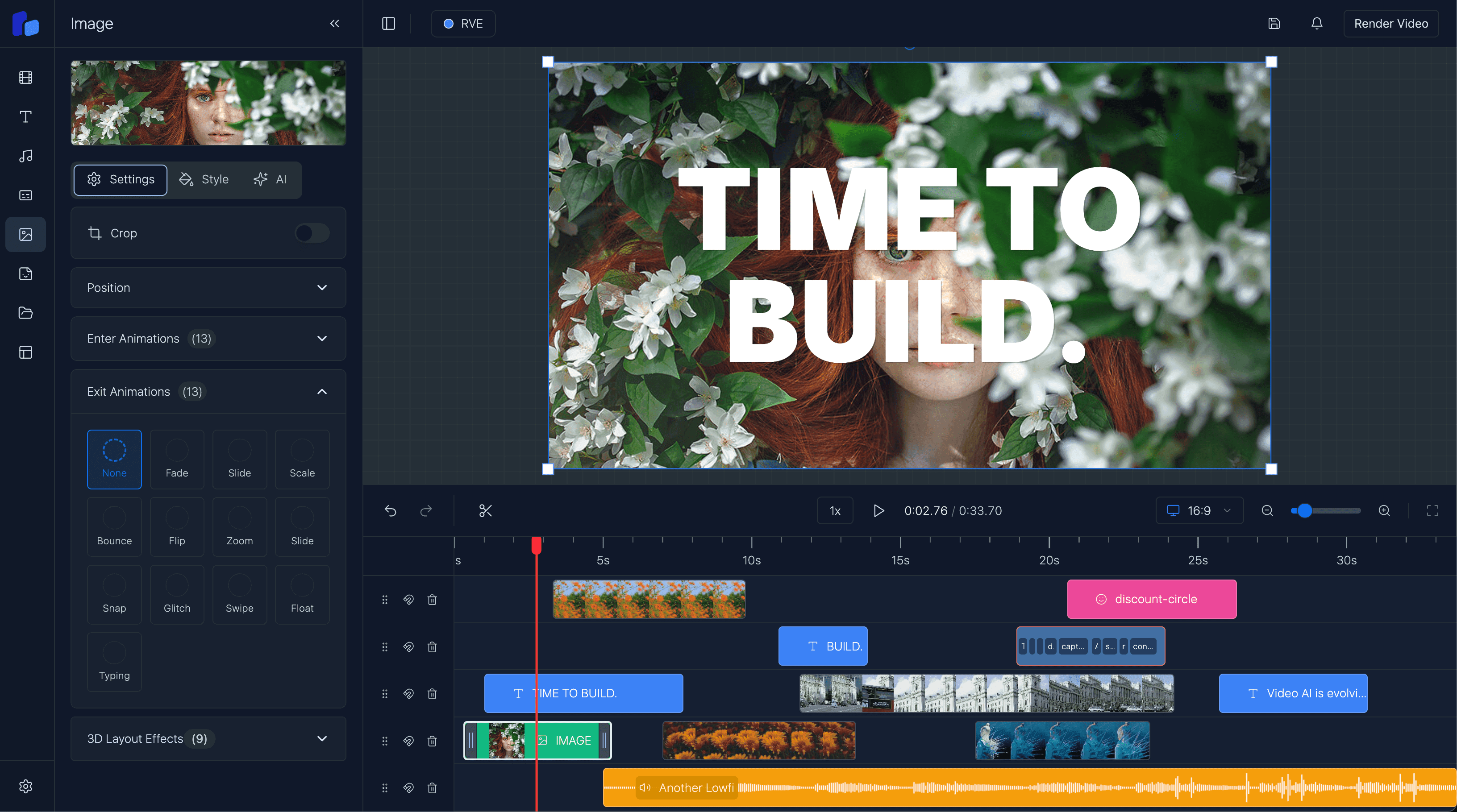
The timeline is not just a UI component. It is the operational center of the product.
A serious timeline system needs:
- tracks and stacking rules
- drag, resize, split, trim, and snapping behavior
- zoom and virtualization
- frame-based timing
- selection state
- undo/redo
- keyboard shortcuts
2. Project state and schema
A browser editor becomes much easier to maintain when everything is represented by one durable project schema that can drive:
- the live editor UI
- the preview player
- autosave
- template serialization
- export rendering
- future migrations
3. Preview and composition
A robust preview layer should render from the same project schema used for export, stay synchronized with the playhead, and avoid hidden preview-only logic.
4. Upload and asset ingestion
Uploads are an architecture problem, not just a form input. You need validation, metadata extraction, storage references, signed URLs, and failure recovery.
5. Rendering and export jobs
Production export usually needs queued jobs, retries, status tracking, progress updates, concurrency limits, and post-render delivery logic.
6. Persistence, autosave, and templates
A browser editor without reliable save behavior feels broken even when the timeline looks polished.
If this is you
- You already know the editor needs more than a timeline and a player, but you need a cleaner systems map.
- You are trying to keep preview, save/load, and export all aligned to the same project state.
- You want to avoid building flashy UI on top of a schema that will collapse later.
Recommended stack for most React teams
If I were designing this today, I would usually start with:
- Next.js for the app shell, routes, APIs, and auth-adjacent flows
- React for the editor interface and stateful controls
- Remotion for composition and rendering
- object storage for media assets and rendered outputs
- a database for projects, templates, and job records
- background workers for export and media-heavy jobs
That split keeps interactive UI concerns separate from expensive backend work.
Common architecture mistakes
- Treating the timeline as just a component instead of a stateful interaction model.
- Letting preview logic diverge from export logic.
- Building the timeline before stabilizing the project schema.
Healthier default assumptions
- Use frames as a canonical timing unit early.
- Keep one durable project representation across preview, autosave, and export.
- Design the asset lifecycle before it becomes a production bug factory.
Build vs buy
If you are already at the point of asking whether this architecture should even be built in-house, read Build vs Buy a Video Editor. That page is deliberately about the team and product tradeoff rather than the lower-level systems design.
If you are evaluating the same question inside a product team, React Video Editor for SaaS is the more buyer-oriented follow-up.
Questions readers usually ask
Next step
Architecture only matters if it helps the product ship reliably
If you need the implementation sequence, go back to the build guide. If you are weighing custom infrastructure against speed, compare that with the build-vs-buy page.