Why We Use OPFS for Browser Video Storage
A founder's honest explanation of OPFS, the browser storage problems it solved for RVE, how it works, and where it can still let you down.
Sam
Founder of RVE
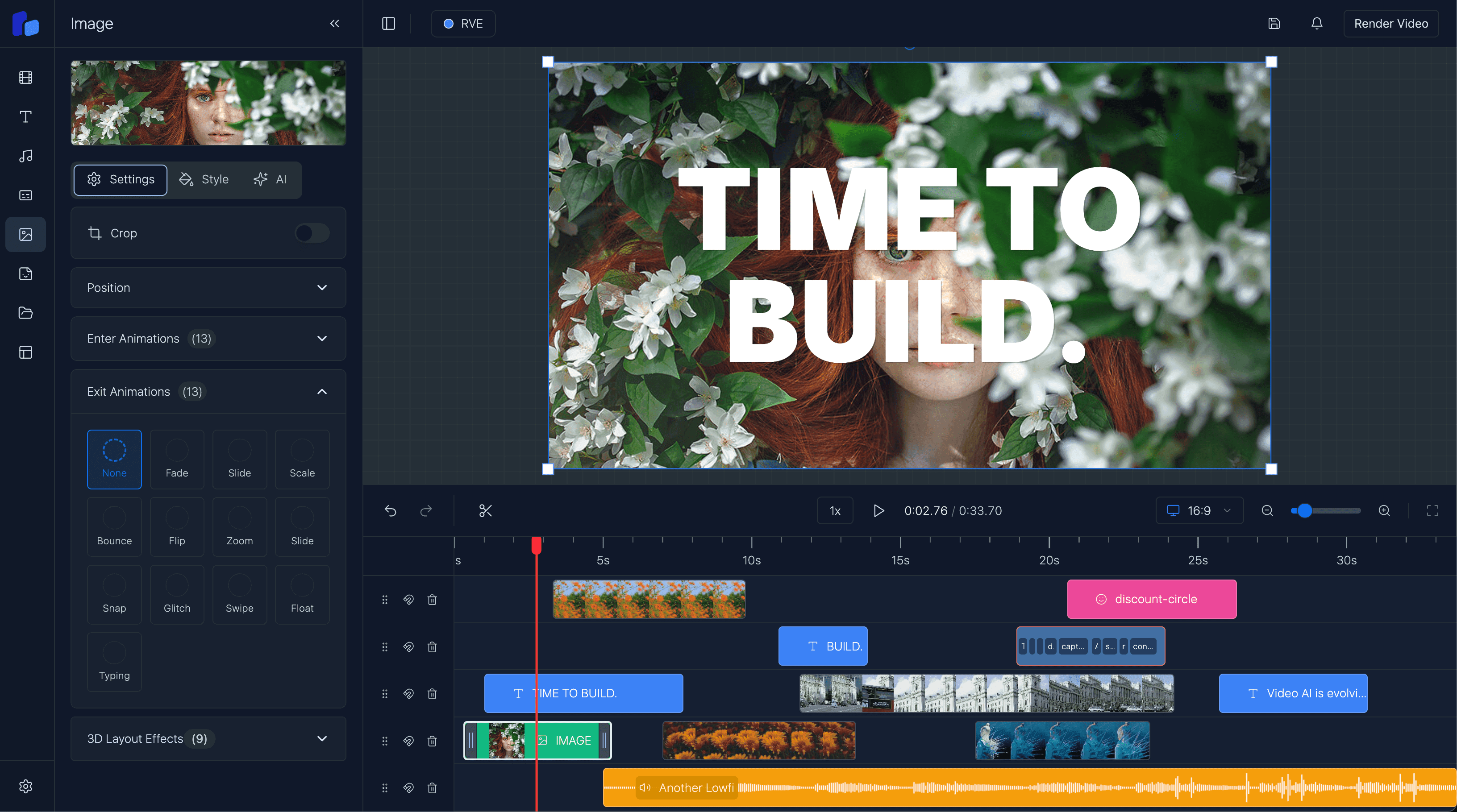
For a long time, local media in React Video Editor was one of those features that looked simple from the outside and was a complete pain underneath.
A user picks a video. The video appears in the editor. Easy, right?
Not really.
The first version of our local upload system used IndexedDB for metadata and a local API route for the actual file. It worked, but only in the narrow setup we built it for. It mixed browser storage with a server process, added more moving parts than I wanted, and was not a clean default for an SDK that should work inside somebody else's app.
I also spent too much time dealing with blob URLs. They are useful, but they are temporary. Refresh the page and the URL is dead. Lose the JavaScript state that created it and you need to build it again. If you keep too much media in memory, the browser starts to suffer. None of this is surprising when you understand how the browser works, but I did not understand all of it when I first built the feature.
That is the slightly embarrassing truth: our first answer was not very good. We needed users to upload a file and start editing at once, but we also needed the file to survive a refresh. We needed it to work without forcing every developer to build an upload API before they could even test the editor.
What follows is not me saying we have solved browser storage. It is where we got to after a lot of trial and error. I am still learning where OPFS works well and where it starts to hurt.
OPFS gave us a much better base.
What OPFS actually is
OPFS means Origin Private File System. It is a file system managed by the browser for one web origin.
An origin is the combination of the scheme, host, and port. In plain English, storage for https://app.example.com belongs to that site. Another site cannot open it, and the user will not see an RVE folder beside Documents or Downloads.
It feels like a small private hard drive for the web app, but that description needs a warning. The browser owns it. The app does not get a normal path on the user's computer. The data is still subject to browser quotas and browser storage rules.
The useful part for us is that OPFS stores real file data without putting the full file in React state, localStorage, or an IndexedDB record. It is designed for file access and can handle the type of large binary data that a video editor deals with.
The entry point is small:
const root = await navigator.storage.getDirectory();That gives the app a directory handle for its private file system. From there it can create a file handle, open a writable stream, and write the uploaded file:
const fileHandle = await root.getFileHandle(assetId, { create: true });
const writable = await fileHandle.createWritable();

await writable.write(file);
await writable.close();
To read it later, the app gets the same file handle and asks for a File:
const fileHandle = await root.getFileHandle(assetId);
const file = await fileHandle.getFile();
const playbackUrl = URL.createObjectURL(file);
That last URL is still a temporary blob URL. The important difference is that it can be recreated from the OPFS file after a page refresh. The blob URL is now a disposable playback address, not the only copy of the user's media.
The MDN OPFS guide has the lower-level API details if you want to use it directly.
The pain it removed for us
The main problem was not "where can I put a file?" The main problem was the gap between local editing and permanent cloud storage.
If we uploaded every file to a server first, the user had to wait for the network before they could use it. That is a bad first experience with a video editor, especially when the file is large or the connection is poor.
If we only used a blob URL, editing started quickly but the project could break after a refresh.
If we made cloud storage a requirement, RVE did not work out of the box. Every developer had to connect S3, Supabase Storage, or another service before a basic upload worked. That is reasonable for production, but not for the first five minutes of using an SDK.
OPFS lets us split those concerns:
- Save the file locally first.
- Let the user edit with it at once.
- Upload it to the developer's storage in the background, if they have connected one.
- Keep a permanent remote URL for saved projects and other devices.
That sounds obvious now. It was not obvious to me at the start.
How it works in RVE
When somebody uploads a video, image, or audio file, RVE writes the file to OPFS first. We create a blob URL from the local copy so the preview and timeline can use it immediately.
If the app has a localMedia adapter, RVE then sends the same file to the app's storage system in the background. The adapter returns a permanent URL when the upload finishes. We associate that URL with the local OPFS entry.
The flow is roughly this:
User selects a file
  -> RVE writes it to OPFS
  -> the editor creates a local blob URL
  -> the file appears in the media panel
  -> the user can edit immediately
  -> cloud upload runs in the background
  -> the permanent URL is saved with the local entry
If the upload fails, the local file is still there. The user can keep working and retry the upload. We can read the original file from OPFS, so we do not need to ask them to select it again.
When the project loads again, RVE checks for a local copy. If it finds one, it creates a fresh blob URL and uses that for playback. This avoids another large download. If the local copy is missing, RVE uses the permanent remote URL.
This gives us the speed of local storage and the portability of cloud storage. Neither one replaces the other.
Our media library setup guide explains the adapter and the full upload lifecycle.
Why we do not save blob URLs
This caused enough bugs that it deserves its own section.
A blob URL can look like this:
blob:https://your-app.com/3ac2d1c8-...It looks like a normal URL, but it is only valid in the browser context that created it. Saving that string to a database does not save the file. Sending it to a rendering server does not give the server access to the media.
For OPFS-only projects, RVE saves an internal reference such as asset:abc123. On the same device, the editor can resolve that reference back to the OPFS file.
When a storage adapter is connected, RVE saves the permanent URL after the background upload finishes. That URL can work on another device and in a server-side render.
This distinction matters:
blob:is a temporary address for the current browser session.asset:is an RVE reference to a local OPFS file.https:is normally the permanent address from your storage service.
We block the consumer onSave callback while a timeline file is still waiting for its permanent URL. Local autosave can keep the asset: reference, but sending that reference to a backend would produce a project that only one browser can understand.
OPFS is not your cloud storage
I like OPFS, but I do not want to oversell it.
It is local to one browser profile on one device. A file saved on a laptop will not appear on a phone. A file stored under one origin will not be available under another origin. Moving an app from one domain to another also means moving to a different storage area.
The data can disappear if the user clears the site's data. Private browsing usually deletes it when the private session ends. Browsers can also evict best-effort storage when space is tight, and writes fail when the origin reaches its quota. You can inspect estimated usage with navigator.storage.estimate() and ask for persistent storage with navigator.storage.persist(), but you still need to handle failure.
It also needs a secure context, which normally means HTTPS outside local development.
So I would not use OPFS as the only copy of important customer media. For a production product, connect durable object storage. Think of OPFS as the fast local working copy, not the final archive.
This is also why I dislike calling browser storage "permanent." It can persist for a long time, but the user and the browser are still in control.
Why not put the file in IndexedDB?
You can store Blob values in IndexedDB, and many apps do. IndexedDB is still useful in RVE for structured project data, indexes, and metadata.
But OPFS matches media files more closely. It gives us file and directory handles, streaming writes, and a direct way to read the original File again. It also keeps large media bytes separate from the records that describe the project.
There are more advanced OPFS APIs for fast, synchronous file access inside Web Workers. We do not need to pretend every upload needs those APIs. The ordinary asynchronous calls are enough for much of our media-library flow. Still, that lower-level path matters for tools such as databases, codecs, and WebAssembly programs that need frequent reads and writes without blocking the main thread.
What I would do if I were starting again
I would start with the local-first model much earlier.
The editor should not make a user wait for a round trip to a server before it shows a file they just selected from their own computer. At the same time, local browser storage should not be dressed up as a full media backend.
The split that currently makes the most sense to me is:
- OPFS for the immediate local copy
- IndexedDB for project state and structured metadata
- object storage for durable, portable media
- permanent URLs in any state that must leave the device
It took us a few versions to arrive there. Some of that was normal product development, and some of it was me building the first thing that worked and discovering its limits later. This is the result of our own use case, not a rule for every browser app.
OPFS did not remove all the difficult parts of media storage. We still have to deal with quotas, failed writes, cleanup, interrupted uploads, URL mapping, and browsers doing browser things. But it gave us the correct place to keep local media, and it made the default RVE experience much closer to what I wanted from the beginning: select a file and start editing.
No storage setup first. No fake promise that the browser is a cloud. Just a fast local copy, with a clear path to something durable.
What am I still unsure about?
There are still parts of this that I do not think have one clear answer.
How aggressive should an editor be about cleaning up old local files? Should we ask for persistent storage, or does that give developers and users too much confidence in data that is still local to one browser? At what point does a local cache become another storage system that the product team has to maintain?
I also wonder how other teams handle large projects over a long period. Do you keep every active asset in OPFS? Do you treat it as a short-lived cache? Have quota limits or Safari caused problems that only appeared once real users had months of media on one device?
This post is only based on my own trial and error while building RVE. If you have used OPFS in a video editor, audio tool, design app, or any other file-heavy product, I would genuinely love to chat about it. If we are missing something, or if you found a better pattern, please tell me. I would rather improve the approach in public than pretend we got it right on the first try.
Sam