Is Remotion Free? What the License Covers and When You Need More
A direct answer to whether Remotion is free, who qualifies for the free license, when a company license is required, and how that differs from needing a fuller React video editor layer.
Sam
Creator of RVE
Yes - Remotion is free to use for individuals, for-profit organizations with up to 3 employees, non-profits, and teams that are still evaluating it without commercial use.
If you do not fall into those buckets, you need a company license from Remotion.
That is the short answer. The more useful answer is understanding what Remotion being free does and does not mean when you are building a real product.
If your question is really about Remotion transitions, Remotion animations, or Remotion effects rather than licensing, read Remotion Transitions vs React Video Editor.
Key takeaways
- Remotion is free for individuals, small for-profit teams up to 3 employees, non-profits, and evaluation use according to Remotion’s published licensing page.
- If your company does not qualify for that free tier, you need a paid company license from Remotion.
- Remotion being free does not mean you automatically have a full video editor product - it gives you the rendering/composition layer, not the full editing workflow.
If your question is really about how Remotion compares to a fuller editor layer, read Remotion vs React Video Editor. If you are specifically trying to work out whether the code is public vs how the license works, read Is Remotion Open Source?. If you are evaluating what is public vs commercial on the RVE side, read Open Source React Video Editor.
Who can use Remotion for free?
Based on Remotion’s published license page, the free tier applies if you are:
- an individual
- a for-profit organization with up to 3 employees
- a non-profit or not-for-profit organization
- evaluating whether Remotion is a fit and not yet using it commercially
If that is you, the practical answer is: yes, Remotion is free for your use case.
If not, the practical answer is: you should plan for a paid company license.
What people usually mean when they ask “is Remotion free?”
Usually they are asking one of four different questions:
1. Can I use Remotion without paying anything right now?
Often yes, if you fit the free-license categories above.
2. Can I use Remotion in a commercial product?
Sometimes yes under the free tier, but not for every company size or scenario. Once your company is outside the free eligibility, you need the company license.
3. Does Remotion give me a full video editor?
No. Remotion is the composition and rendering engine. It is powerful, but it is not the same thing as shipping a full editor product with timeline UX, panels, persistence, templates, uploads, and product workflow.
4. If I use RVE on top of Remotion, does one license cover both?
No. If you use React Video Editor on top of Remotion in a commercial context, you need to evaluate both licensing layers separately. That distinction is covered in Remotion vs React Video Editor.
Option A
Remotion is enough when...
- You want a React-based composition and rendering engine.
- Your team is comfortable building editor UX and workflow systems around it.
- You are solving videos as code more than user-facing editing UX.
Option B
You need more than Remotion when...
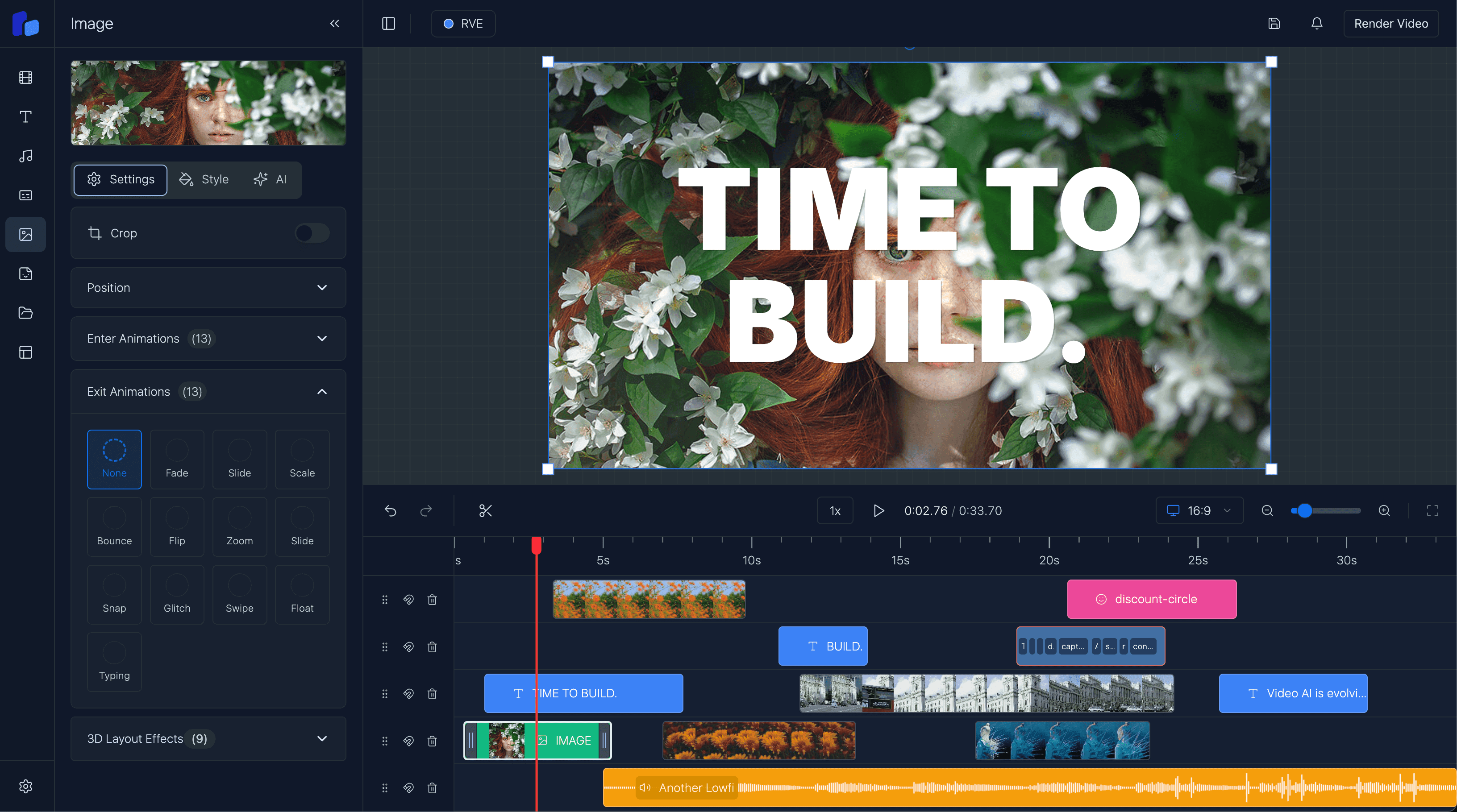
- You need a timeline, overlays, captions, selections, and editor panels inside your app.
- You want an embedded editor workflow rather than just a rendering layer.
- You need a faster route to a product surface users can actually edit inside.
Free license does not mean “full product included”
This is the trap behind a lot of the search intent.
Someone searches is Remotion free and sees that the answer is yes for some cases.
Then they assume that means the whole problem of building a video product is now basically solved.
It is not.
Remotion is extremely useful, but it solves a specific layer of the problem:
- React-based composition
- frame-accurate rendering
- animation logic
- programmatic video generation
A production editor still needs things like:
- timeline interactions
- clip selection and editing panels
- uploads and asset lifecycle handling
- project persistence and autosave
- export flows and job orchestration
- templates, roles, billing, approvals, and product logic
That is why many teams searching for Remotion video editor are really looking for one of two things:
- a way to build on top of Remotion faster
- a fuller editor layer that already uses Remotion underneath
Where React Video Editor fits
React Video Editor is not a replacement for Remotion.
It is a product-facing editor layer that can sit on top of it.
That means the questions are different:
- Remotion: can we generate and render videos in React?
- React Video Editor: can users actually edit those videos inside our app without us building the whole UX from scratch?
If your team is really asking “is Remotion free?” because you are cost-scoping a product build, the next question should be whether you want to own the editor workflow layer yourself.
If not, read React Video Editor Component and How to Integrate React Video Editor.
What Remotion being free is genuinely good for
- It lowers the barrier to experimenting with React-based video generation.
- It makes it easier for small teams and individuals to prototype quickly.
- It gives developers a serious rendering/composition foundation without a big upfront commitment.
What that answer does not tell you
- It does not automatically give you a complete browser video editor.
- It does not answer whether your company still needs a paid company license later.
- It does not remove the engineering work around timeline UX, persistence, and product workflows.
FAQ
Is Remotion open source?
Remotion publishes its source and licensing terms publicly, but the practical question for most buyers is eligibility under the free license vs when a company license is required.
Is Remotion free for commercial use?
It can be, if you fall under the free-license eligibility that Remotion publishes. If your organization does not qualify, you need a company license.
Is Remotion free for small teams?
Yes, according to Remotion’s published license page, for-profit organizations with up to 3 employees qualify for the free tier.
Does Remotion include a video editor UI?
Not by itself. Remotion is the rendering/composition layer. If you need editor UX, timeline controls, panels, and workflow on top, that is a different layer.
If I use React Video Editor, do I still need to think about Remotion licensing?
Yes. If your setup depends on both layers in a commercial product, you should evaluate both licensing paths rather than assuming one replaces the other.
Next step
Use the free-license answer to scope the engine layer - then decide whether you also need the editor layer
If your real decision is product build scope, do not stop at licensing. Separate the rendering engine question from the editing workflow question.